Wave
an app for all lifters
TL;DR
What is it?
A mobile app for lifters of all experience levels. Log workouts and find program templates and coaches.
The Design

Introduction
The Problems
The internet is full of conflicting information on lifting weights. Each website, article, and forum all claim to know the best exercise or program, which can be confusing, especially for beginners. This can cause new lifters to prematurely jump between programs, limiting their progress.
Logging workouts on spreadsheets or on a notes app is doable, but not a pleasant experience. There’s also no way to view analytics on your lifts unless you set up your spreadsheet with the appropriate formulas.
The Solution
A product that acts as both a marketplace for program templates and coaches, as well as a workout log that allows you to view analytics. Program templates and coaches will be verified, and users may also leave reviews.
The Impetus
As a beginner lifter, I found myself overwhelmed by the number of free program options available online. As I progressed and gained more knowledge, I started to write my own programs but I was never able to log my workouts consistently, and I couldn’t tell if I was getting stronger. When I decided I wanted to compete in powerlifting, I wasn’t sure where to find a good coach. Then as I matured even more, I decided I wanted to start coaching my own clients but wasn’t sure how to put myself out there.
The Process
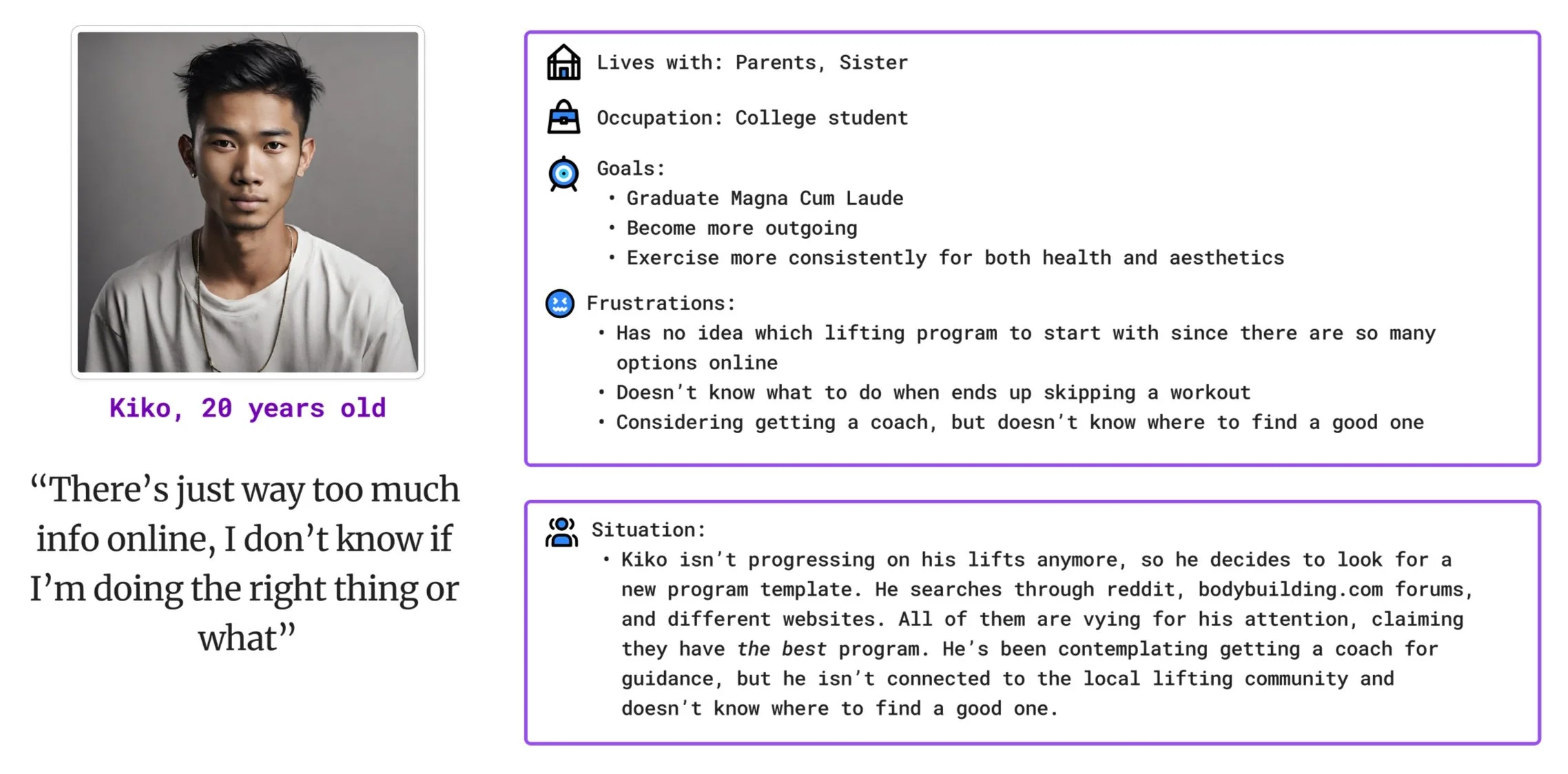
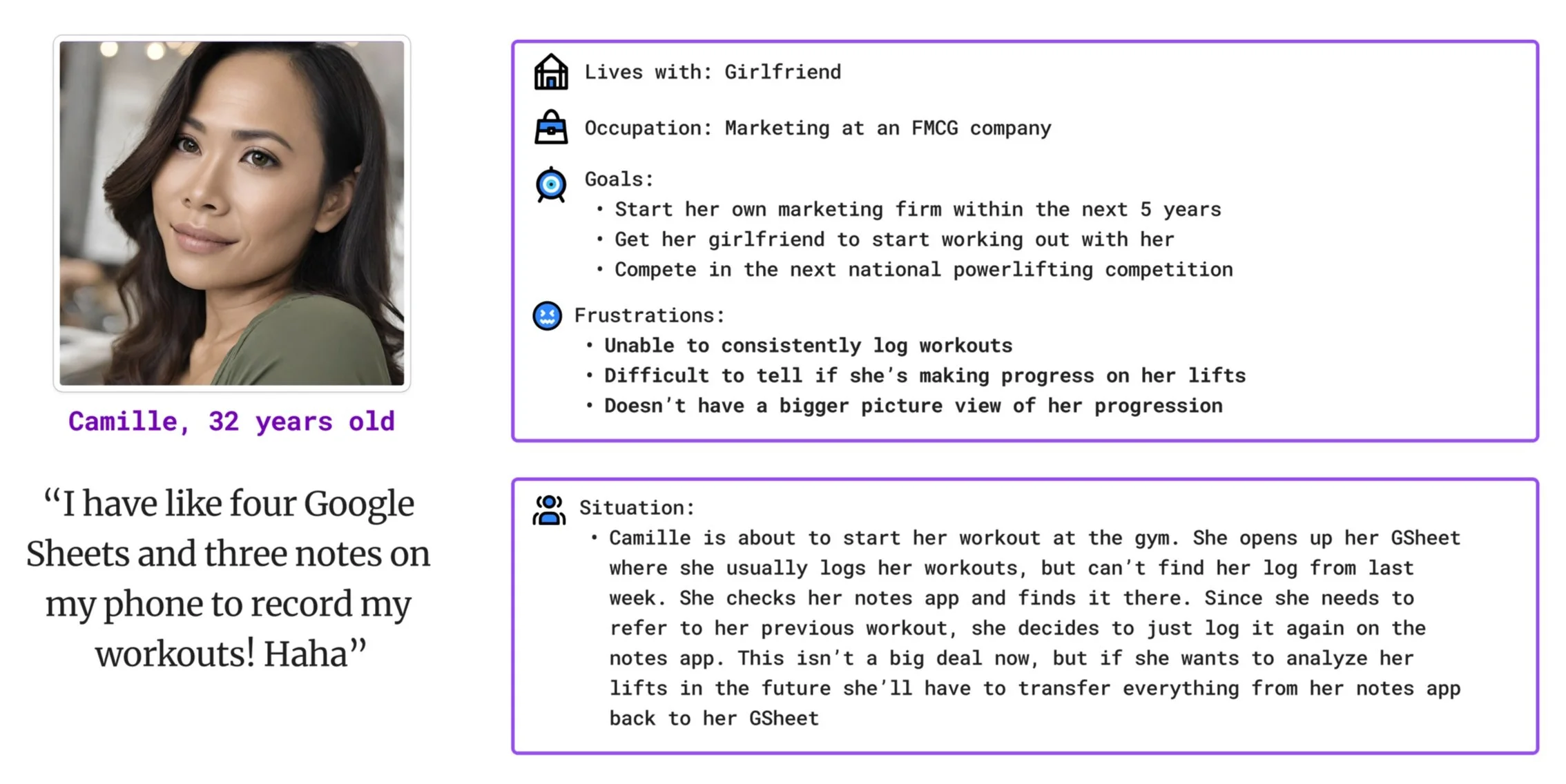
I started by creating two personas, one of a beginner and another of a more advanced lifter. I find personas help me focus on solving the problems that I originally set out to solve.
Persona 1: Kiko
Persona 2: Camille
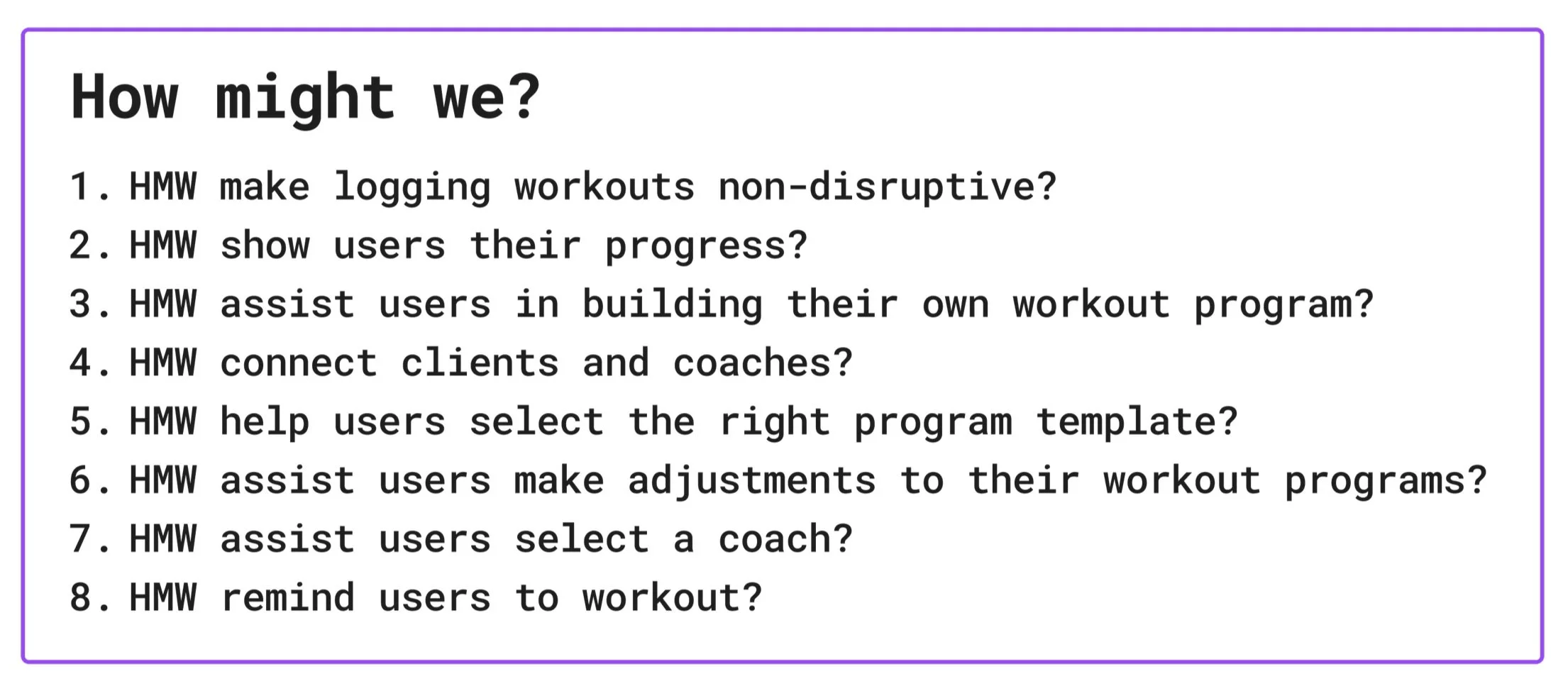
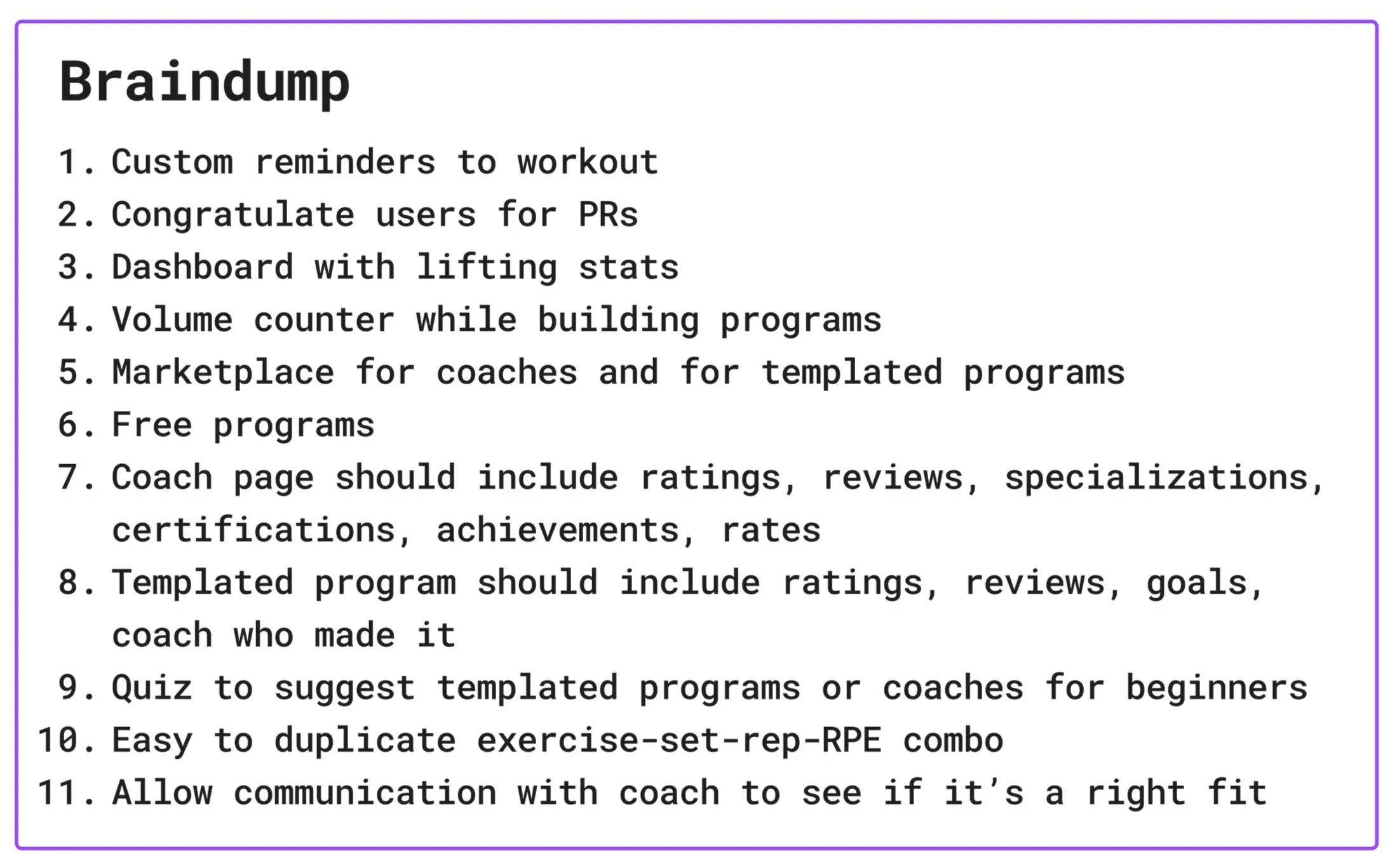
For my ideation process, I used the How Might We and Braindump techniques. I focused on quantity over quality when generating ideas since this is supposed to be a divergent process.
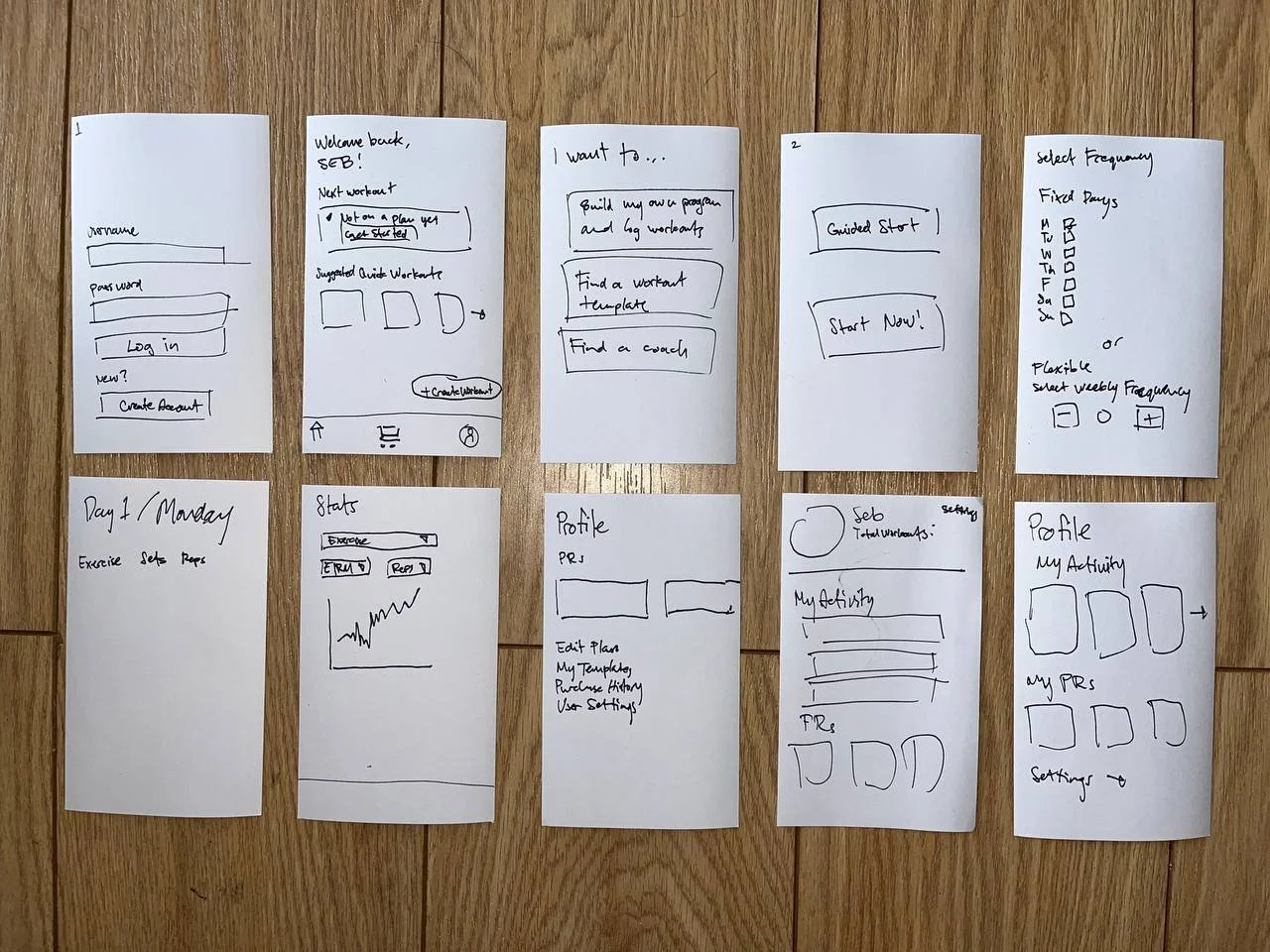
To further flesh out my ideas, I created lofi paper mockups on index cards. This method allows me to get out and iterate through designs quickly
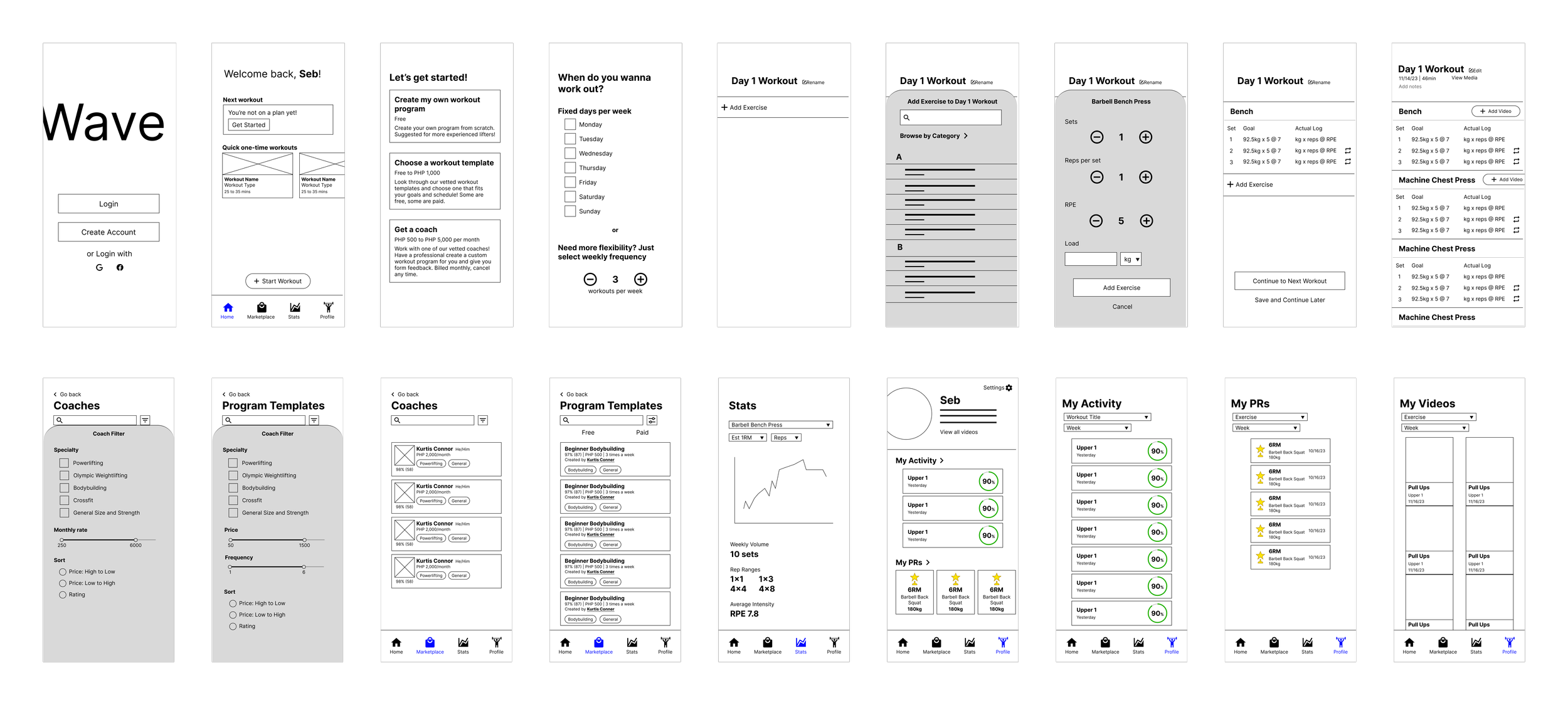
After narrowing down my ideas, I created digital wireframes using Figma. This was definitely one of my more detailed wireframes since I was creating the design completely from scratch.
Design Notes
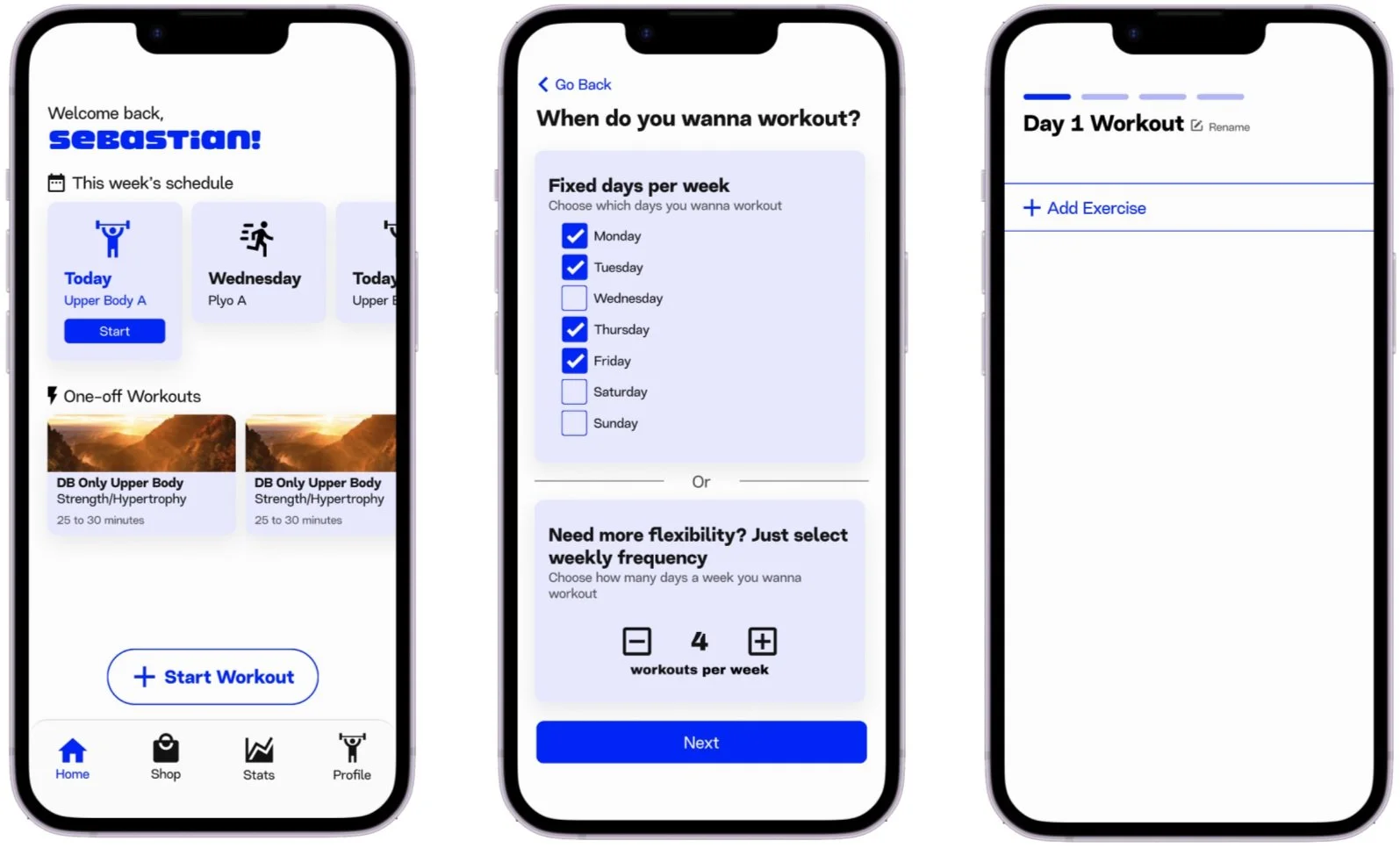
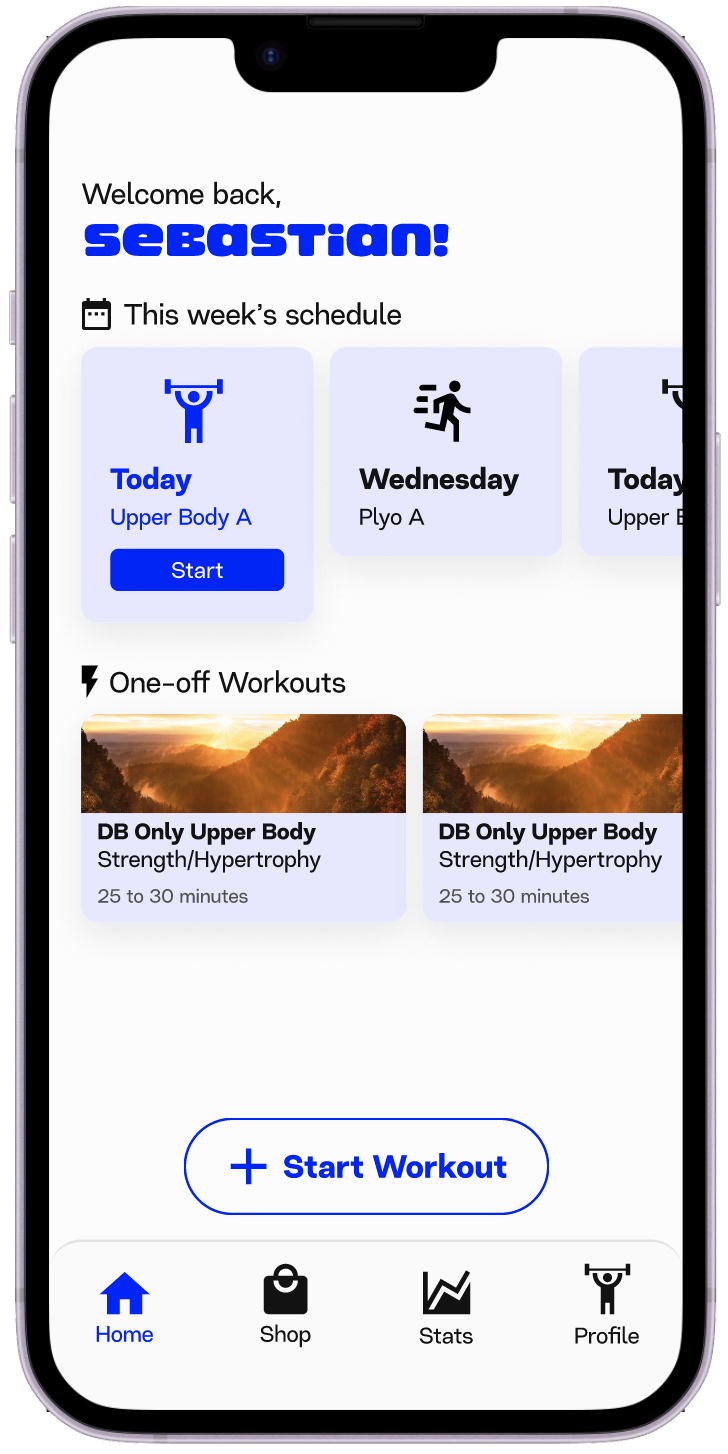
Homepage
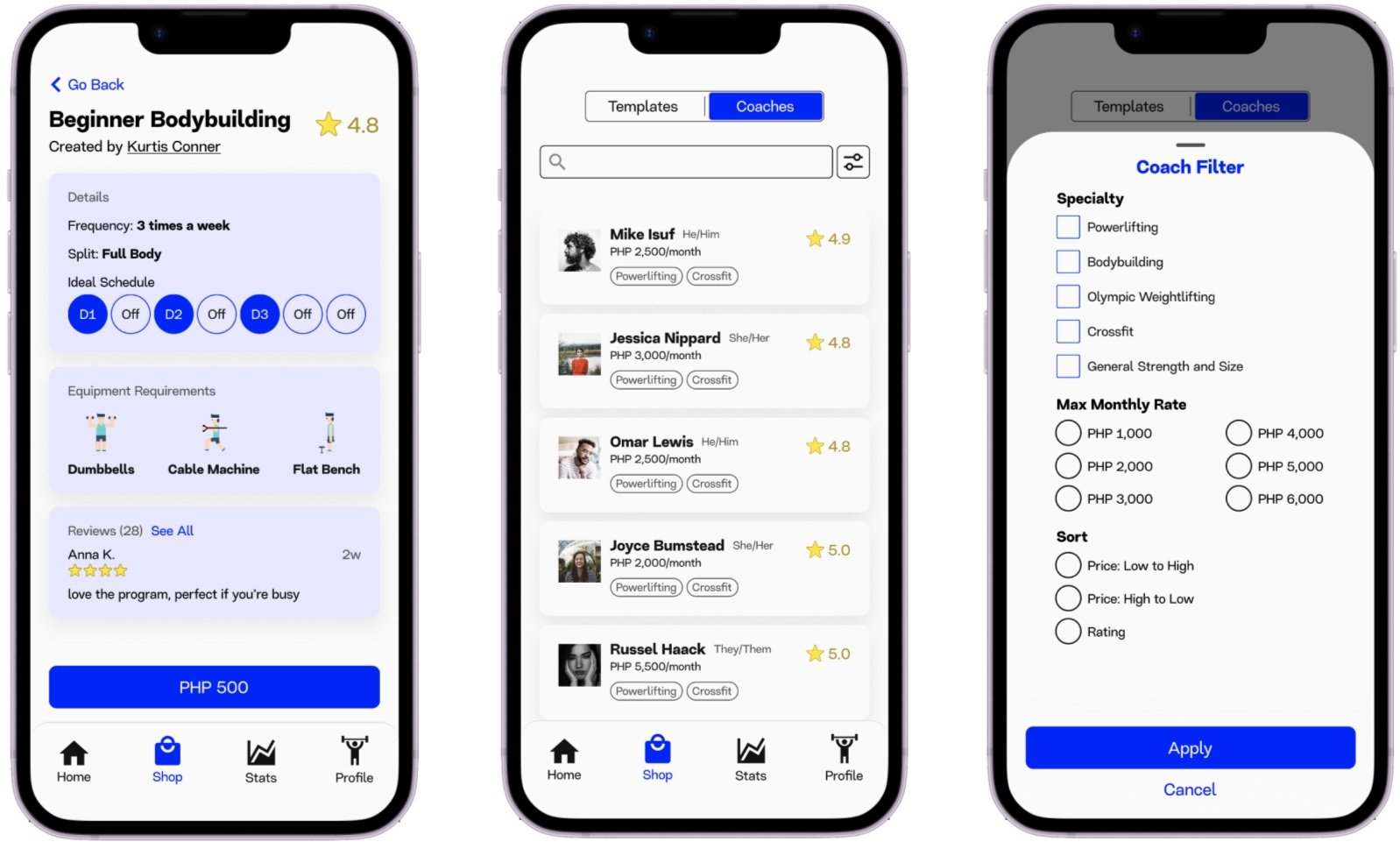
Choosing a workout program or a coach
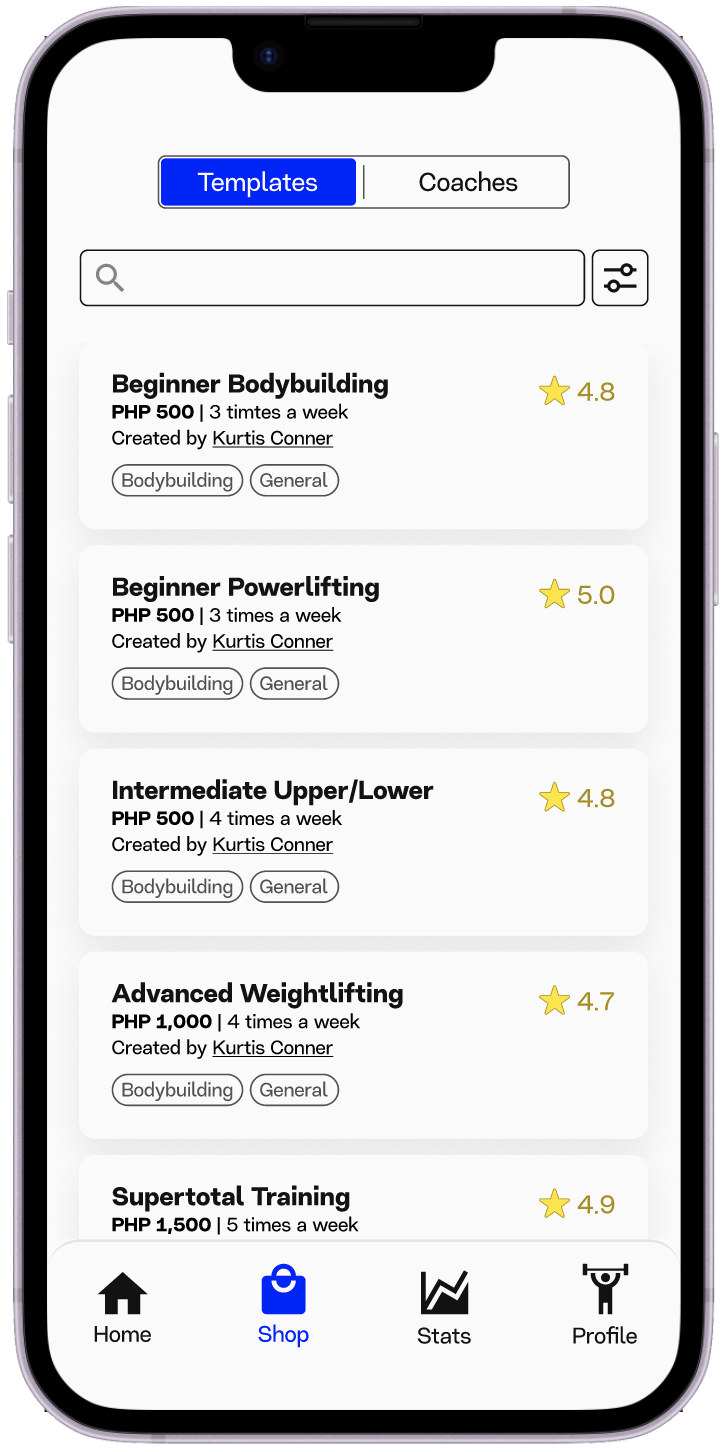
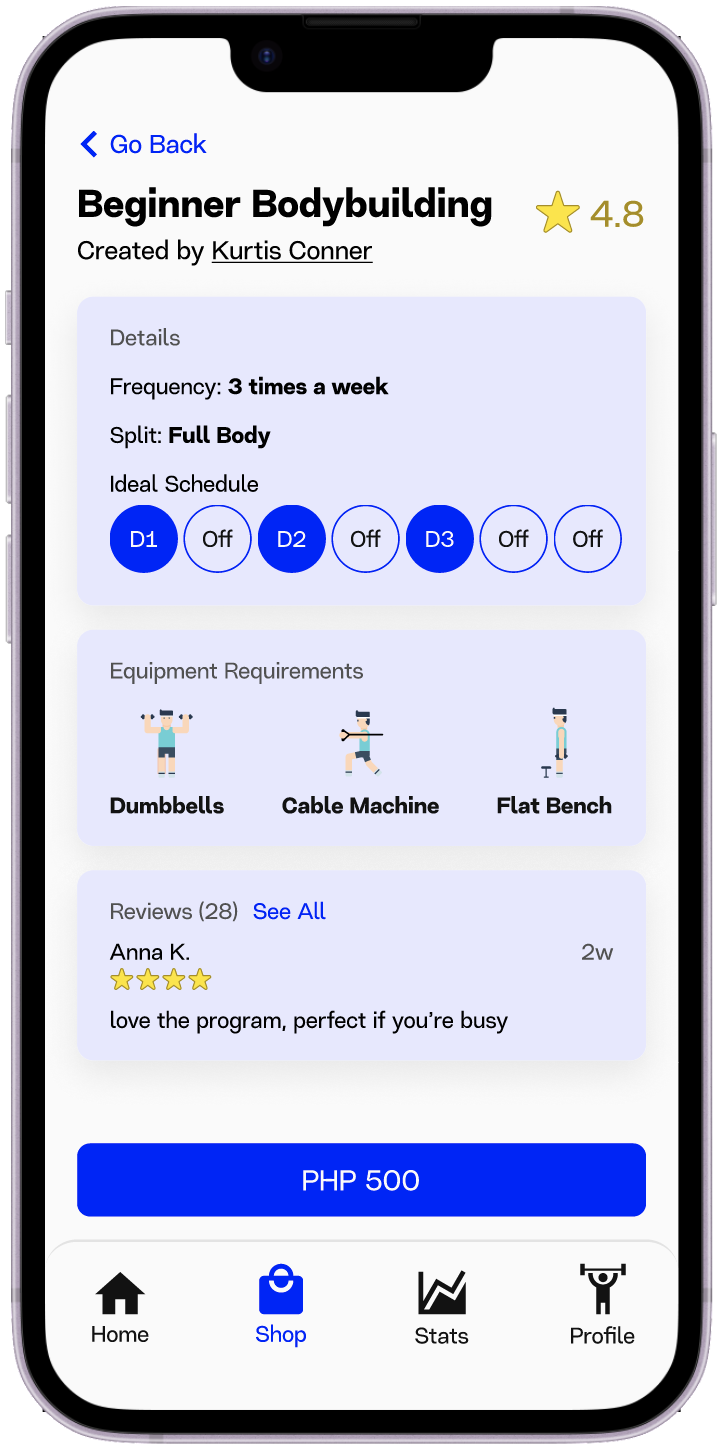
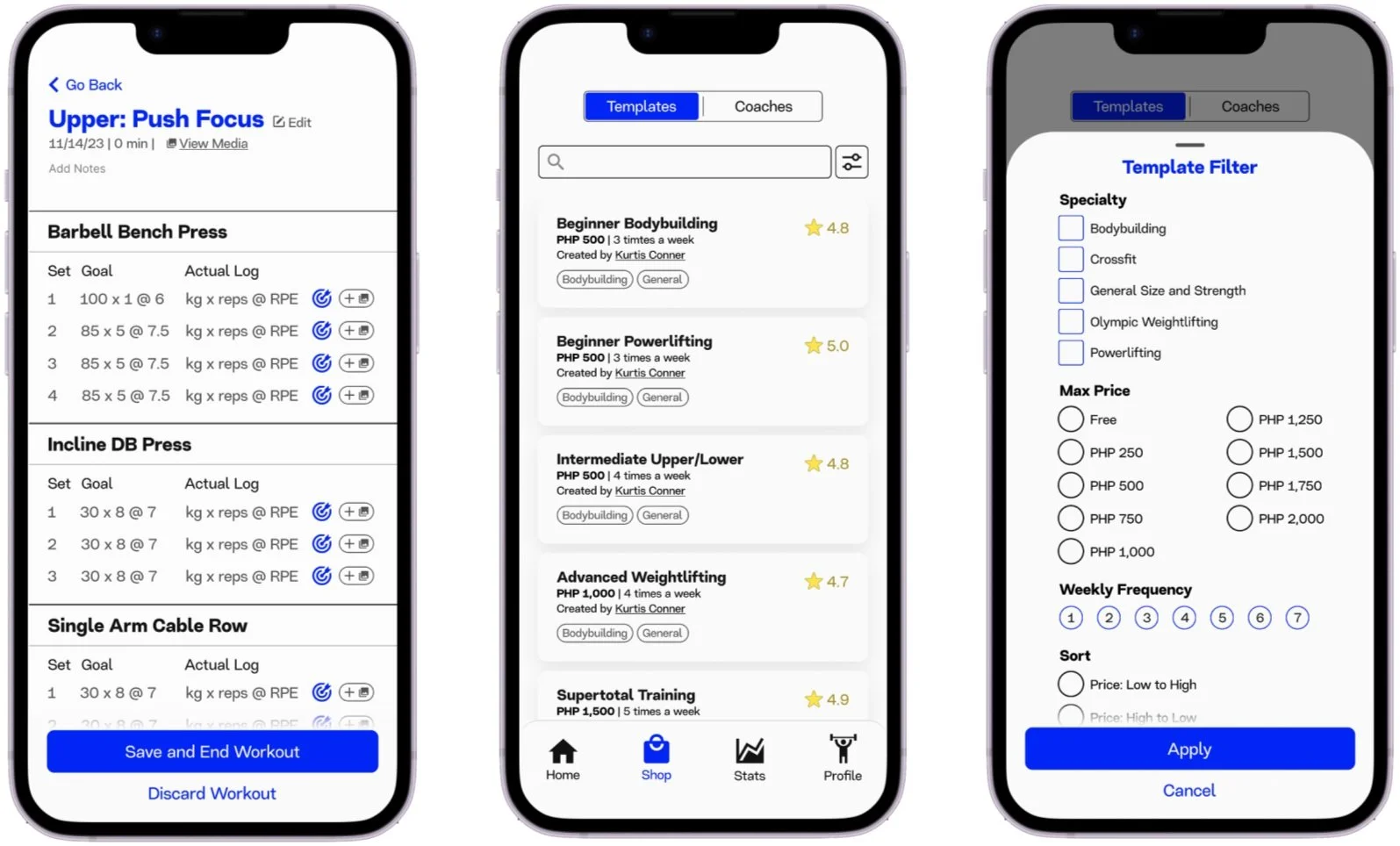
Screenshots of the workout template shop, search filter, and template overview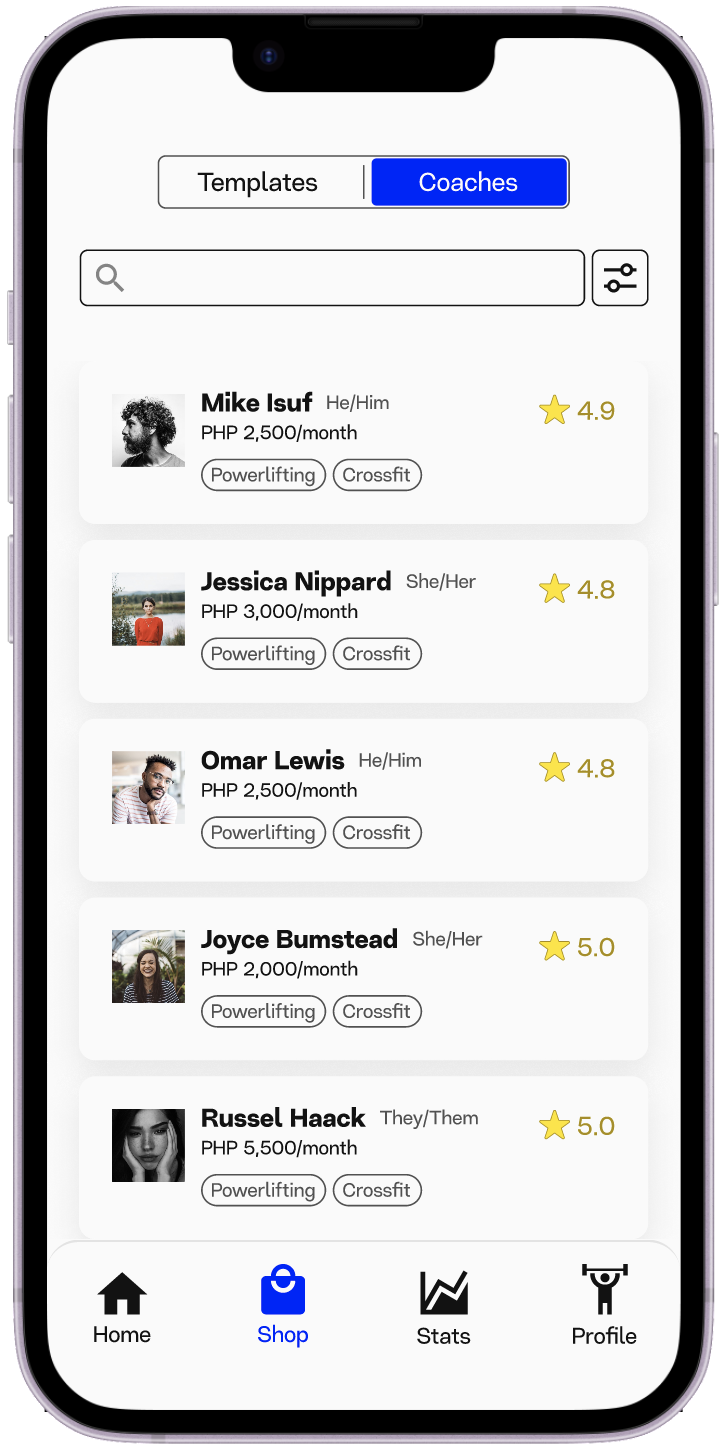
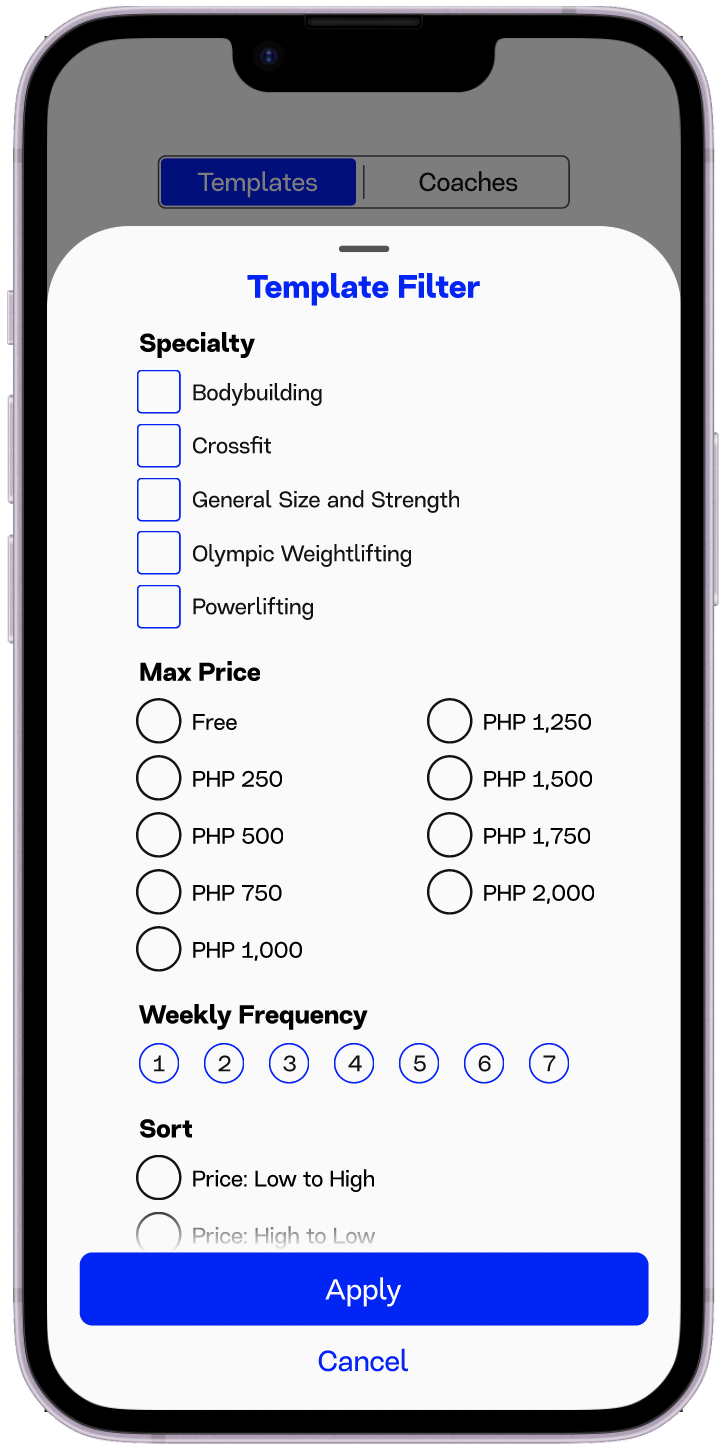
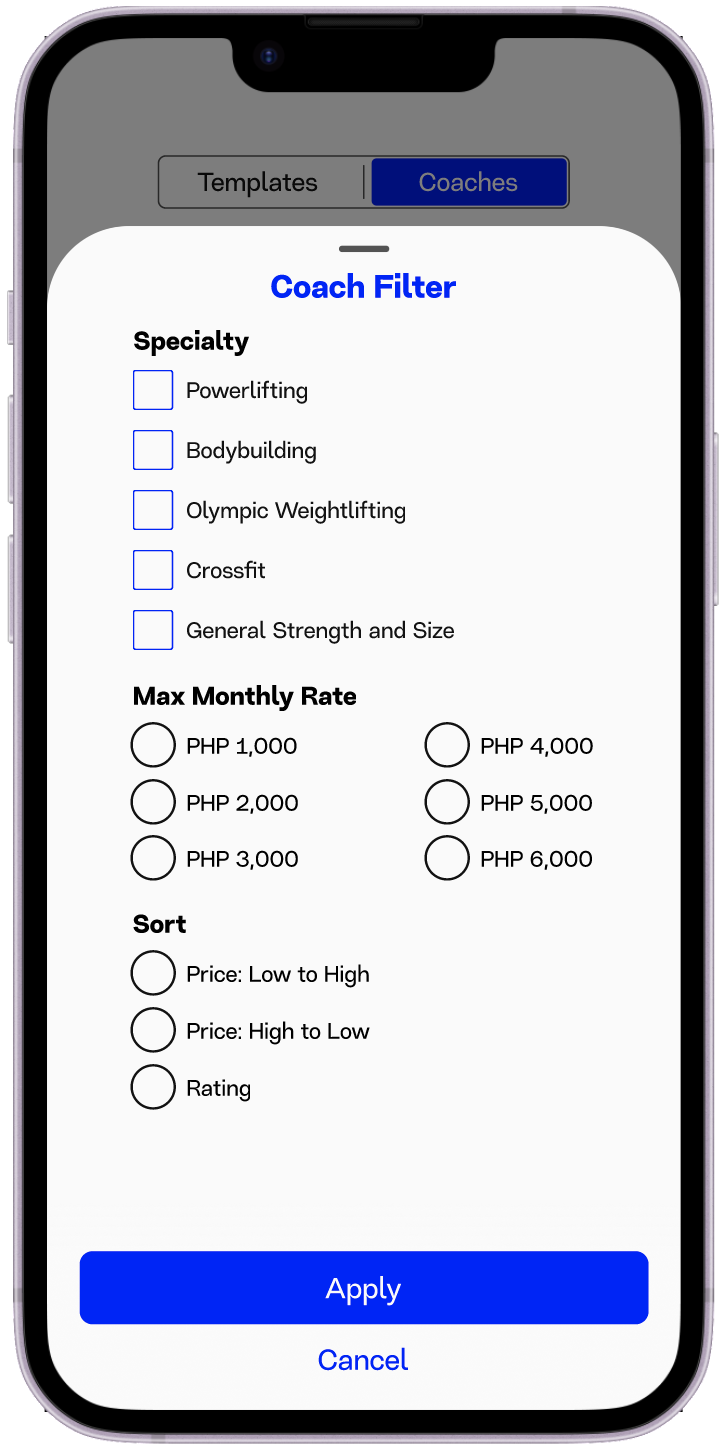
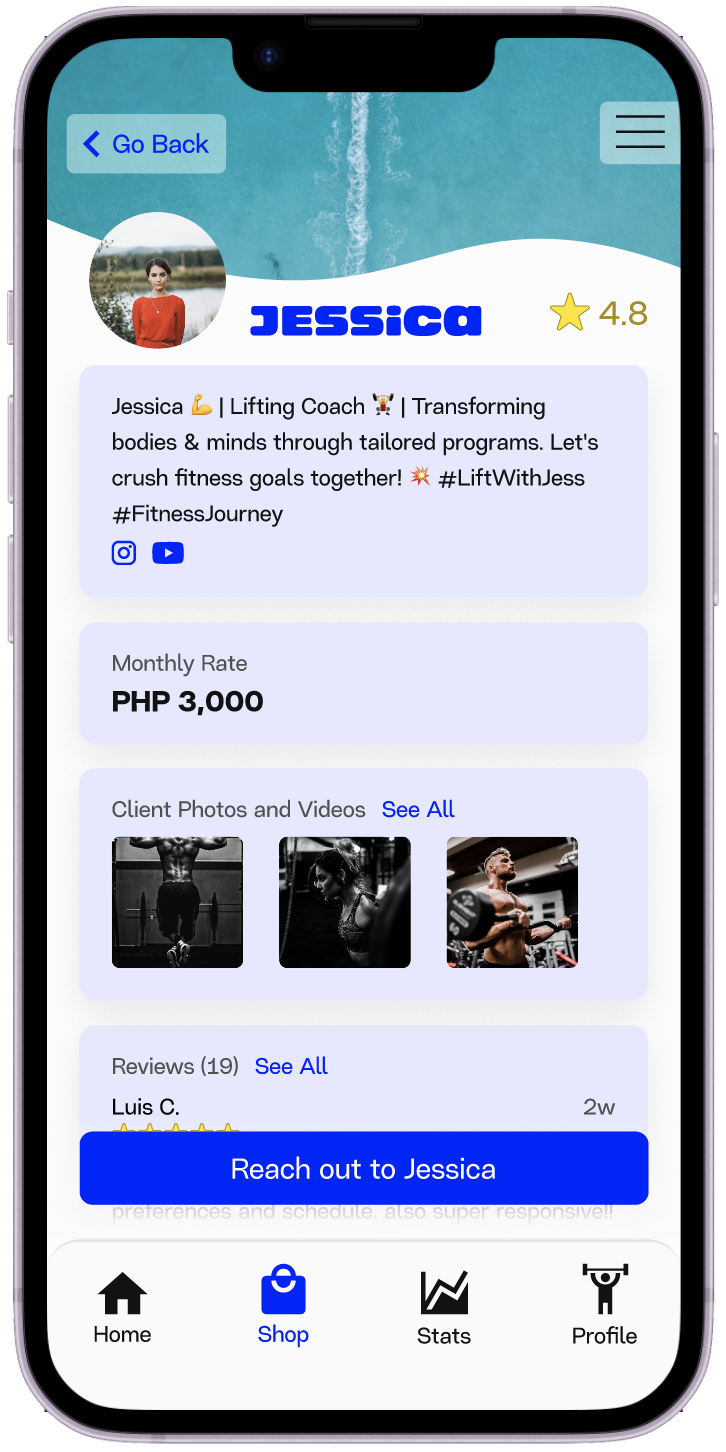
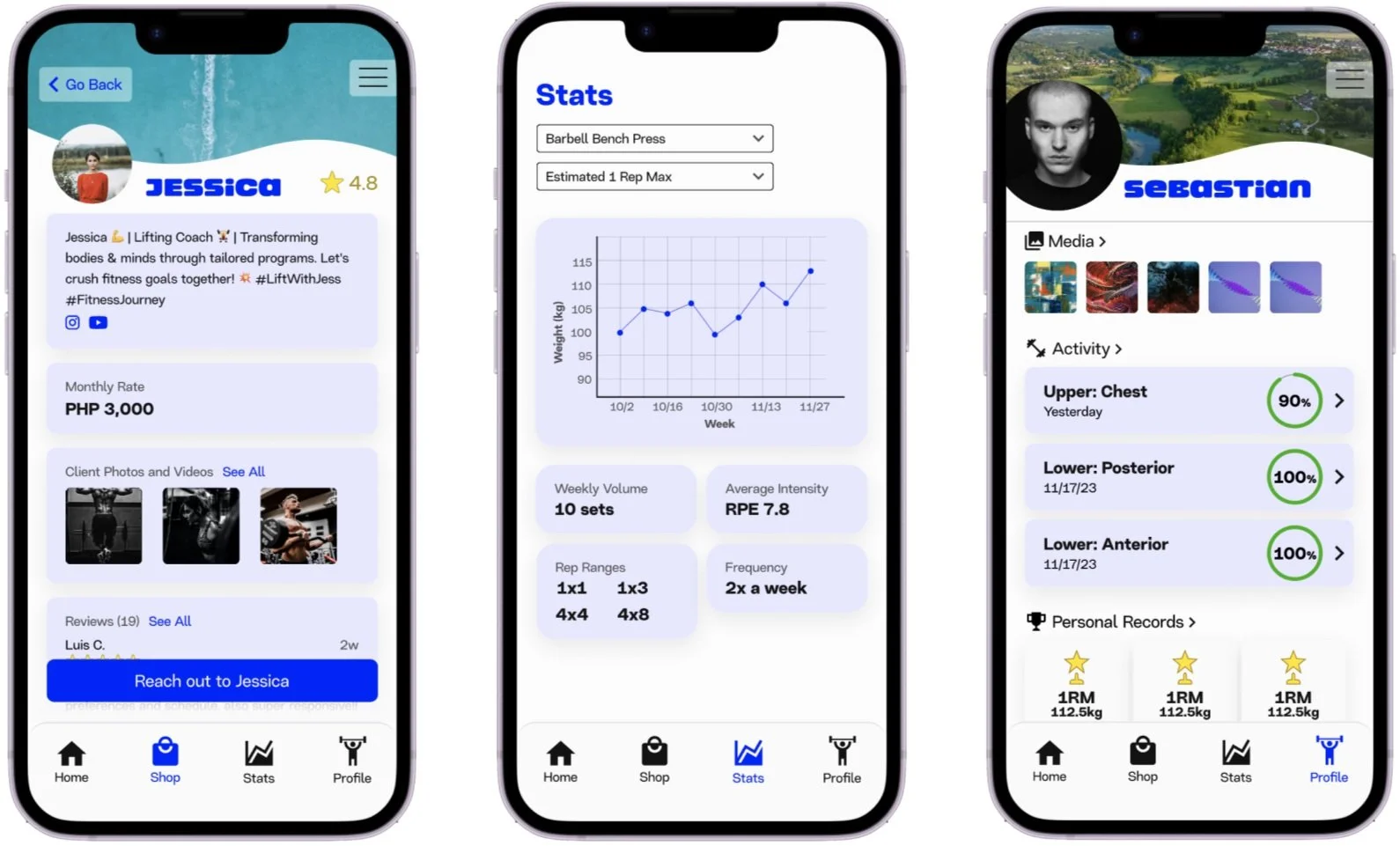
Screenshots of the coach shop, search filter, and coach profileEasily see price, frequency, author, specialization, and rating at a glance
Filter and sort by all of the details mentioned above to easily find a template that suits the users needs
Get more details like split type, equipment requirements, and reviews
Easily see monthly rate, specialization, and rating at a glance
Filter and sort by all of the details mentioned above to easily find a coach that suits the users needs
Get more details like the coach’s bio, social media links, and client media and reviews
Logging a Workout
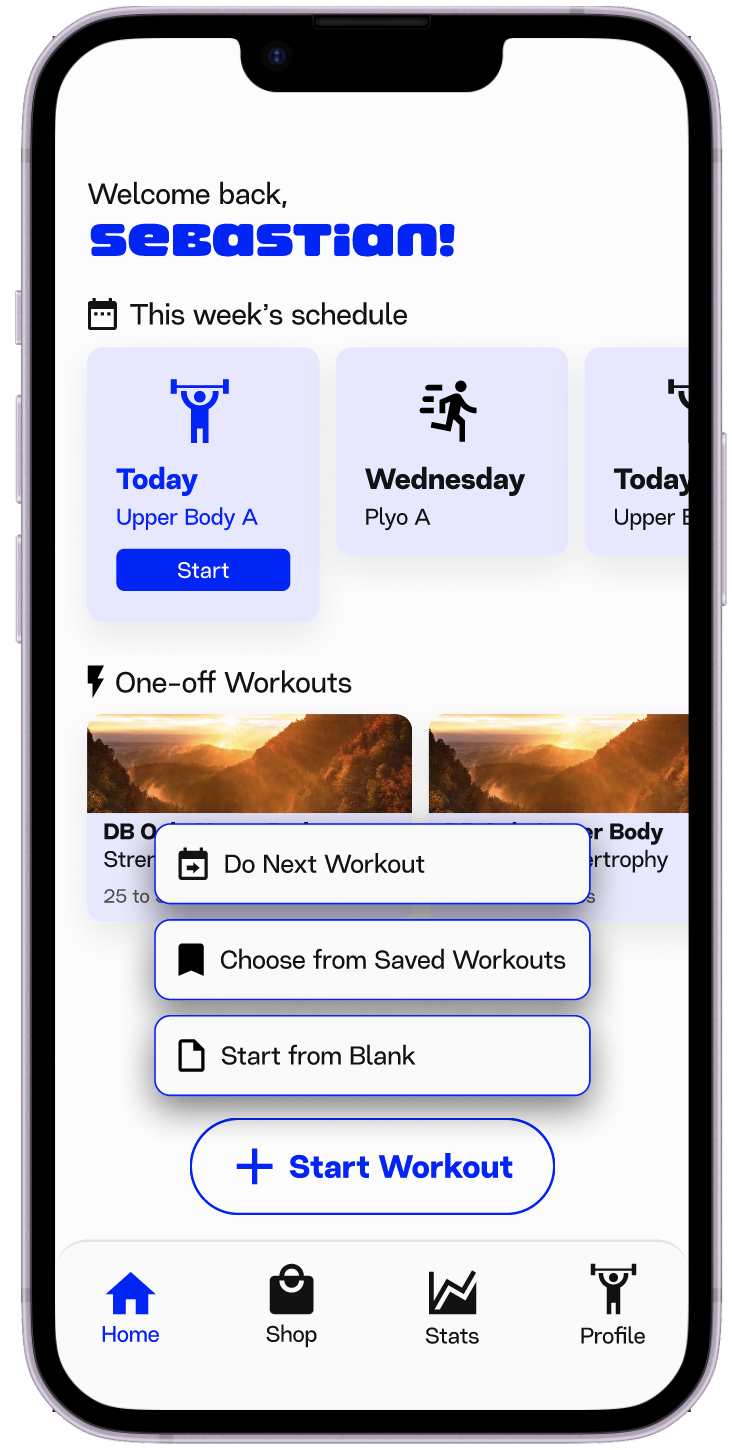
The homepage only contains common actions a user may want to perform as soon as opening the app. The options are to:
Do the next workout on the program
Select a new templated/saved workout: Users may want to do something outside of their program
Start a new workout from scratch: Users may want to try a specific exercise or protocol that isn’t part of their program
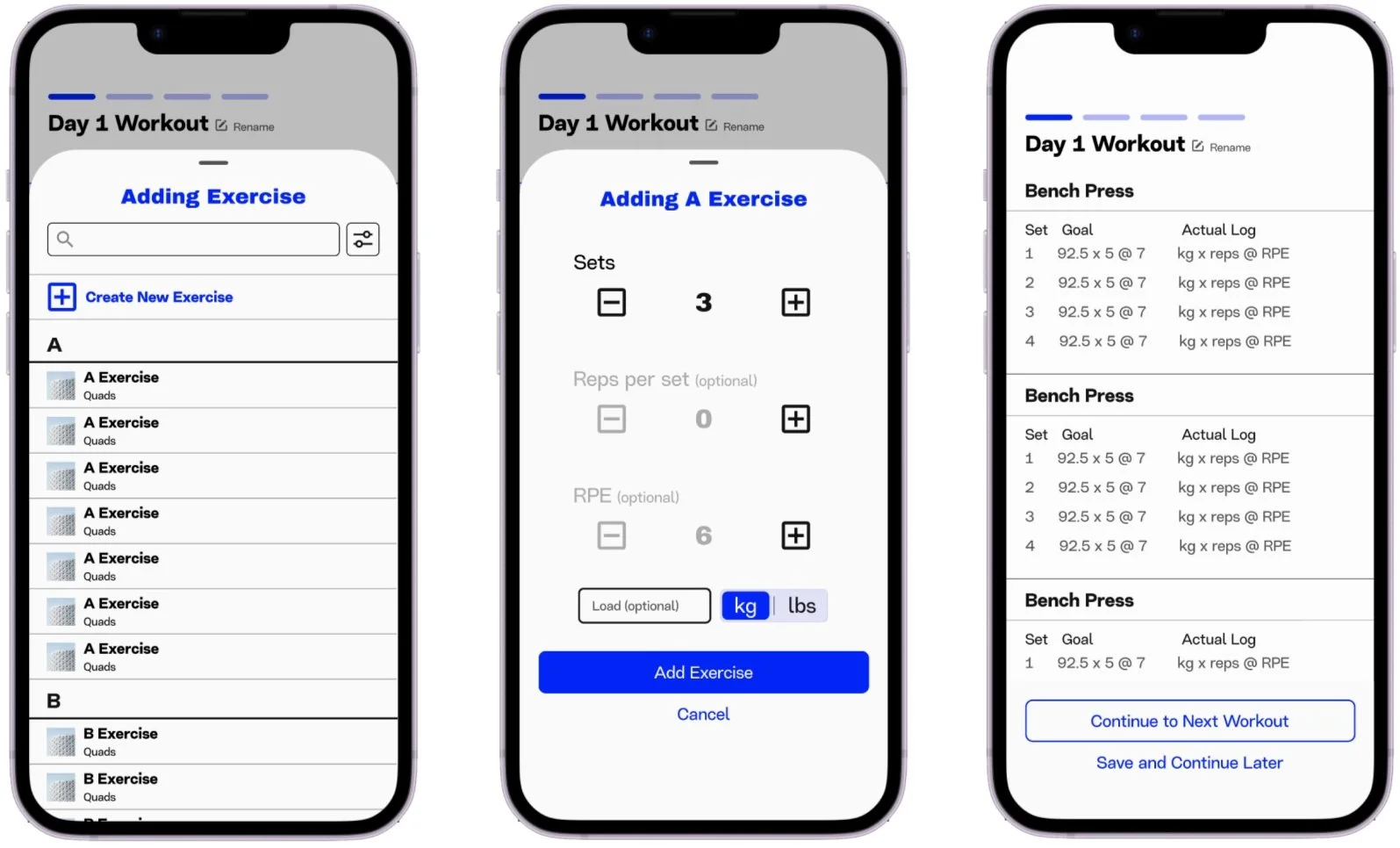
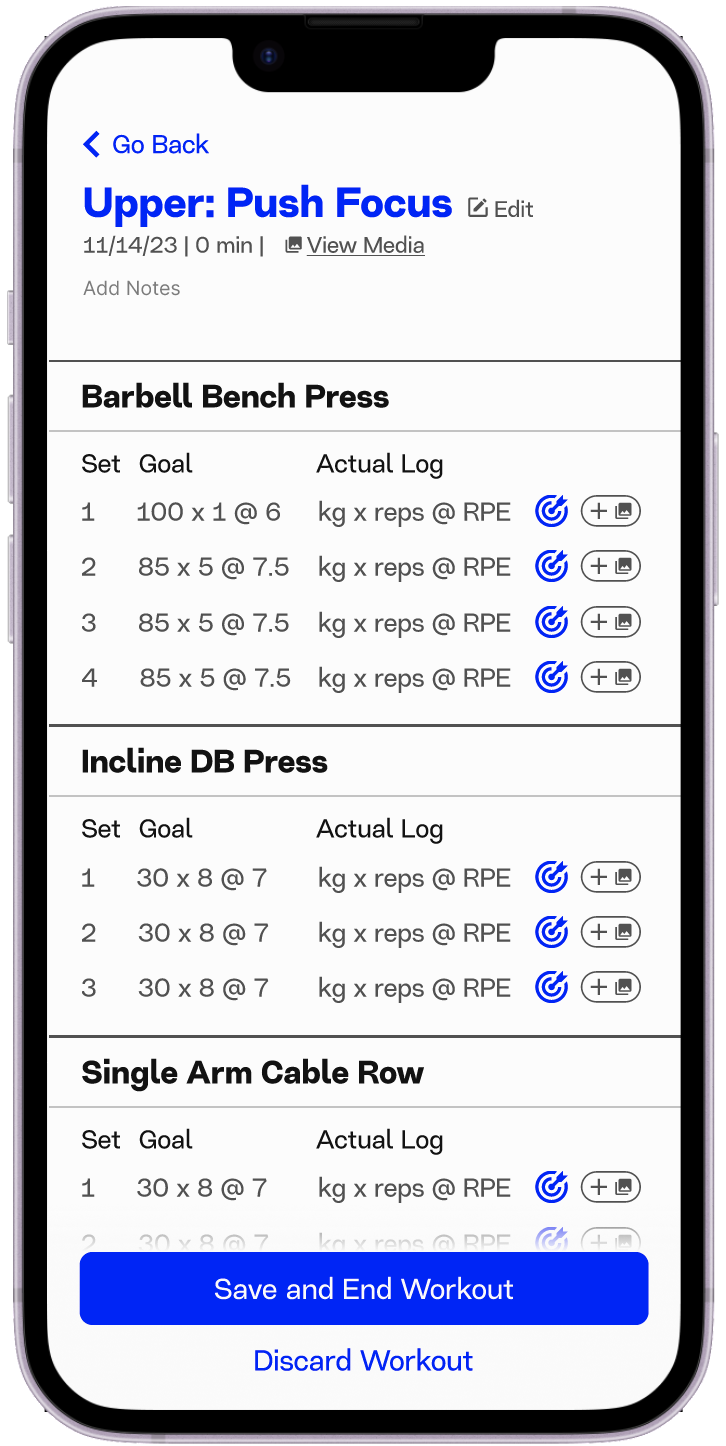
Tap the target button to instantly log your goal as your actual set
Add media to specific sets: This makes it easier for you or your coach to judge your progress over time
End your workout with the option to continue it at a later time